
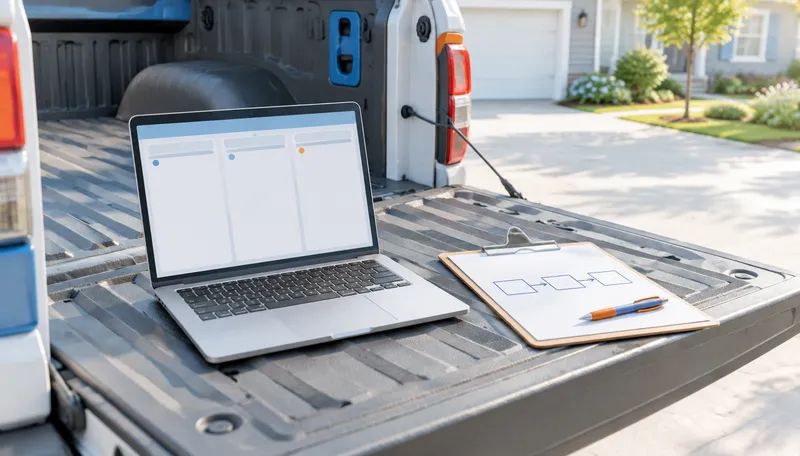
You bought the software. Your crew still asks you the same five questions.
That is a systems problem, not a software problem. The tool is doing exactly what you told it to do. You just did not tell it much.
Sound familiar?
- •You paid for a year and your crew still texts you the job address.
- •Two people entered the same estimate two different ways.
- •The software shows a job as "pending" and nobody knows what it is waiting on.
- •You switched tools last year and rebuilt the same mess.
- •You cannot say who owns the job between the signature and the first shingle.
Buying a different tool will not fix any of that. Fix the process first, and the tool gets easy to pick.
Software Repeats Whatever Process You Hand It
Software does not know your business. It knows the steps you give it. Hand it a clear path from call to booked estimate and it runs that path faster. Hand it a fuzzy one and it runs the fuzz faster.
That is why the same tool can be a favorite at one roofing company and a headache at the next. The tool did not change. The process underneath it did.
The same goes for automation. If you are weighing what to automate before you hire a second crew, the order is the same: clear steps first, tools second.
A faster truck does not fix a wrong address.
Three Things to Write Down Before You Open a Demo
Before you sit through a single demo, write three pages. One page each. A pen is enough. If you cannot fill a page, you just found the real problem.
- 01.
How a call becomes a booked estimate.
Start at the ring and end at a date on the calendar. Who answers? What do they ask? Where does the answer get written down? Who calls back, and by when? Who puts the estimate on the schedule? Write every step in order with one name beside each. - 02.
Who owns each stage of a job.
List the stages: estimate, signed contract, materials ordered, crew scheduled, tear-off, final walkthrough, payment collected. Put one name next to each. Not "the office." One person, the same way one person should sign every contract. When a job stalls, you should know whose phone to call without asking around. - 03.
What "done" means at handoff to production.
Decide what has to be true before a signed job goes to your crew. Contract signed. Deposit in. Material and color confirmed. Permit status known. Address, gate and access notes written down. If it is not on the list, your crew finds out by calling you.
Keep the three pages. They are your demo script. Every vendor should show you how the tool runs your process, not theirs.
Questions to Ask Any Vendor
Bring your three pages to every demo. Ask the vendor to show you, not tell you.
- •For page one, call to booked estimate. — Show me a new lead coming in. Who gets alerted, and how fast? What happens when nobody follows up? Does anything flag it? Can two people enter the same estimate two different ways, or does the tool hold everyone to one?
- •For page two, who owns each stage. — Can every stage have one named owner? When a job sits in a stage, can I see what it is waiting on?
- •For page three, done at handoff. — Can I require the handoff list to be complete before a job moves to production? What does my crew see on their phone? Address, gate and access notes, material, color?
- •For the day you leave. — Can I export my jobs and customer records if I switch tools?
If a vendor cannot run your page inside the tool, keep looking. You are not shopping for features. You are shopping for a fit.
What Software Does Not Fix
Software runs the work you already have. It cannot create the work.
It does not answer the phone you missed at 4:45 on a Friday. It does not call back the homeowner who left a message and then dialed the next roofer on the list. It does not fill the three open estimate slots on your calendar next week. If your pipeline is thin, the best job board in the world shows you a thin pipeline in nicer colors.
Know where the line sits. Job tracking software runs the work after the signature. The Search-to-Booked Roofing System™ works before that: it gets you found, gets the call answered, and gets the estimate booked. It is not job-management software, and it does not replace it.
So fix the process first. Pick the tool that fits it. Then make sure something is feeding the front end, because a clean process with nothing to run is just a tidy office.
Frequently Asked Questions
►What does roofing business management software do?
It keeps track of a job from first contact to final payment. Leads, estimates, contracts, schedules, materials and customer records live in one place instead of in texts, notebooks and your head. It only works as well as the process you set up inside it.
►Do I need a CRM for a small roofing company?
Not on day one. If you run a few jobs at a time, three written pages and a shared calendar can carry you. A CRM starts to earn its cost when jobs stall because nobody can see what they are waiting on, or when two people handle the same lead differently. Write the process first. Then you will know whether you need a tool or just a habit.
►What should I look for in software for a roofing business?
Look for a tool that can run your three pages as written. One named owner per stage. A handoff list that has to be complete before a job moves to production. A crew view on a phone with the address, access notes and material details. An export so your records leave with you if you switch.
►How long does it take to set up?
It depends on how clear your process is going in. If your three pages are written and specific, setup is mostly entering what you already decided. If they are fuzzy, setup stalls on every question you never answered. The writing is the slow part, and it is the part that pays off no matter which tool you pick.
Once the three pages are written, you know exactly how a job should move. The next question is what feeds it. The Search-to-Booked Roofing System™ takes marketing off your plate. Your company gets found, the call gets answered, and the estimate gets booked, so the process you just wrote down has booked estimates to run on.